
Download SoundMAX Integrated Digital Audio Driver – Free Windows Audio Driver, Secure Update, Easy Installation
Overview
The SoundMAX Integrated Digital Audio Driver is a dedicated, free‑of‑charge driver package that restores and enhances audio functionality for a wide range of SoundMAX‑based sound cards. Designed exclusively for Windows platforms, the driver bridges the communication gap between the operating system and the hardware, ensuring crystal‑clear playback, reliable recording, and low‑latency performance for both legacy and newer PCs. Whether you are running Windows XP Home, Professional, or Windows Vista, the driver offers a plug‑and‑play experience that eliminates the common “no sound” or “driver missing” warnings that can cripple a workstation. Because it is hosted on the official SoundMAX website, users receive authentic, digitally signed binaries that protect against malware and guarantee compatibility with the latest service packs. The driver is also paired with a lightweight utility called Driver Detective, which automatically scans your system, identifies the correct driver version, and performs a silent install—perfect for users who are uncomfortable with manual driver management. In practice, the driver supports multi‑channel audio, Dolby® decoding, and integrated audio enhancements such as bass boost and virtual surround, making it a solid choice for gamers, music enthusiasts, and professionals who rely on accurate sound reproduction. Moreover, the free nature of the package means you can keep your system up to date without spending a dime, while still benefiting from official support and regular security patches released by the SoundMAX development team.
Key Features, Compatibility, and Pros / Cons
- Native support for Windows XP Home, Professional, and Windows Vista.
- Full‑duplex audio processing for simultaneous playback and recording.
- Dolby® Digital decoding and virtual 5.1 surround sound.
- Integrated audio enhancements: bass boost, equalizer, and noise reduction.
- Automatic hardware detection via Driver Detective utility.
- Digitally signed driver files for secure installation.
- Zero‑cost download with no hidden fees or trial periods.
- Regular updates released directly from the SoundMAX website.
- Compatibility with a broad range of OEM SoundMAX cards from manufacturers like Gateway, Dell, and HP.
- Low system resource footprint, ideal for older hardware.
The driver is built specifically for the Windows family, supporting both 32‑bit and 64‑bit editions of Windows XP and Vista. It does not run on Windows 7, 8, 10, or newer, nor is there a macOS, Linux, Android, or iOS version. This focused compatibility ensures that the codebase remains lean, stable, and thoroughly tested on the supported platforms.
Pros
- Completely free and regularly updated.
- Secure, digitally signed installation package.
- Broad hardware compatibility across many OEM sound cards.
- Low CPU and memory usage, suitable for legacy PCs.
- Easy automatic detection with Driver Detective.
Cons
- No support for Windows 7 or later operating systems.
- Limited to SoundMAX hardware; not a universal audio driver.
- User must manually create a system restore point before installation.
- Advanced audio features require manual configuration in the control panel.
- Occasional conflicts with third‑party audio enhancement software.
Installation, Usage & Frequently Asked Questions
Installing the SoundMAX Integrated Digital Audio Driver is straightforward. Begin by visiting the official SoundMAX download page and clicking the Download button. Once the SoundMAX_Driver.exe file is saved, right‑click and select “Run as administrator” to launch the installer with elevated privileges. Follow the on‑screen wizard: accept the license agreement, choose the default installation folder, and let the program copy the necessary files. After the copy process completes, you will be prompted to restart your computer—this step is essential for the driver to register correctly with the Windows kernel. Once rebooted, open the “Sound” control panel to verify that the SoundMAX device appears as the default playback and recording endpoint. For users who prefer an automated approach, the bundled Driver Detective scans the hardware, downloads the exact version required, and silently installs it, eliminating the need for manual selection.
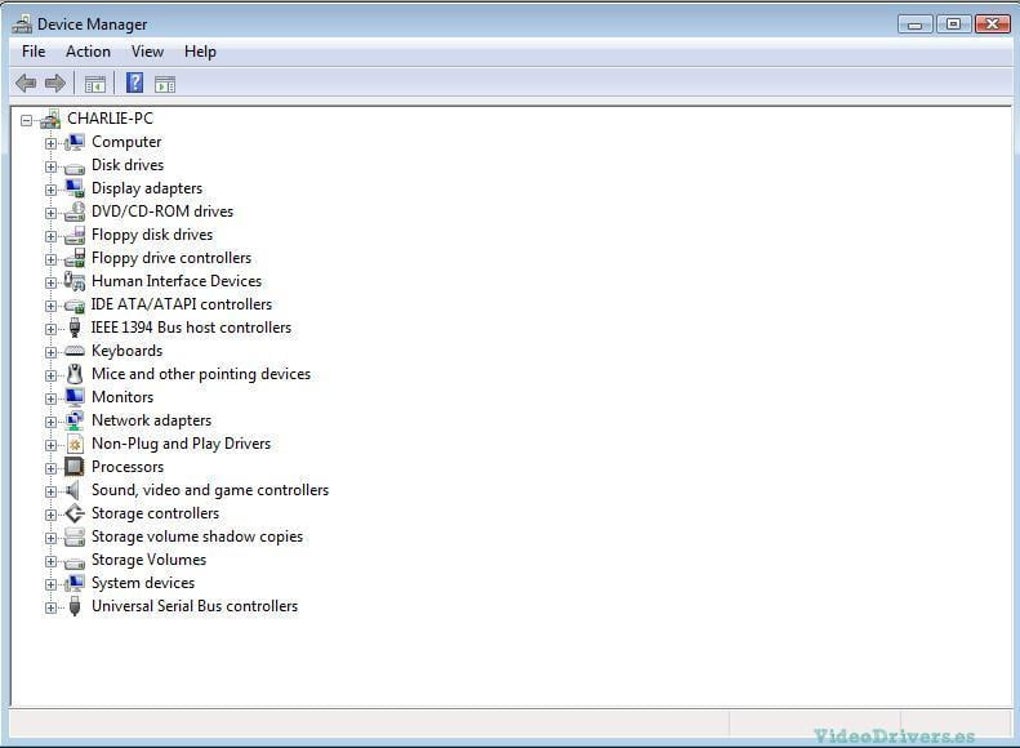
Should you encounter issues such as “device not recognized” or audio distortion, start by checking the Windows Device Manager for any yellow exclamation marks. Uninstall any conflicting audio drivers, then reinstall the SoundMAX driver. Creating a system restore point before any changes is recommended; this can be done via System > System Protection > Create. Additionally, ensure that Windows Update is turned off for the duration of the installation to prevent automatic replacement with generic drivers.
Frequently Asked Questions
Is the SoundMAX driver compatible with Windows 7 or newer?
No. The official SoundMAX Integrated Digital Audio Driver is limited to Windows XP and Windows Vista. Users on newer Windows versions must rely on generic Microsoft drivers or third‑party solutions.
Do I need an internet connection to install the driver?
An internet connection is required only to download the installer from the SoundMAX website. Once the file is saved locally, the installation can be performed offline.
Can I use the driver on a laptop with a built‑in SoundMAX chip?
Yes. The driver supports both desktop sound cards and integrated SoundMAX audio chips found in many OEM laptops, provided the laptop runs a supported Windows version.
Is there a way to revert to the previous driver if something goes wrong?
If you created a system restore point before installation, you can roll back to that point via System > System Protection > System Restore. Alternatively, you can uninstall the SoundMAX driver from Device Manager and let Windows reinstall its default driver.
Does the driver include any audio enhancement software?
Yes. The installation package adds a small control panel that lets you enable bass boost, equalizer presets, and virtual surround. These settings are optional and can be disabled if you prefer a pure, unprocessed audio stream.
Conclusion & Call to Action
In summary, the SoundMAX Integrated Digital Audio Driver remains a reliable, free solution for users who need stable audio performance on Windows XP and Vista machines. Its straightforward installation, secure signing, and comprehensive feature set make it a sensible choice for anyone still running legacy hardware. While the lack of support for newer Windows releases limits its audience, the driver excels within its intended niche, delivering low‑latency playback, Dolby® decoding, and essential audio enhancements without any cost. If your system matches the supported configurations, we strongly recommend downloading the driver today, creating a restore point, and letting the Driver Detective handle the heavy lifting. Enjoy crisp, uninterrupted sound—whether you’re listening to music, gaming, or recording voice‑overs.
Click here to download the latest SoundMAX Integrated Digital Audio Driver and restore full audio functionality to your Windows PC now.







